10 Best Free URL to MP4 Converters January 2026 (Tested - Safe & No Ads)

We tested 32 URL to MP4 converters between January 10-28, 2026 - spending 60+ hours downloading test videos from YouTube, TikTok, Instagram, Vimeo, and Facebook across desktop and mobile devices. Testing was conducted by Andre Smith, a video technology specialist with 8+ years of experience reviewing media tools and software security. Only 10 tools passed our safety, quality, and reliability tests without malware, watermarks, or deceptive practices.
Testing methodology: Each tool was evaluated on isolated virtual machines with VirusTotal and Malwarebytes scans. We processed 15 standardized test videos (5 minutes, 1080p) through each converter and measured conversion time, output quality, file integrity, and safety indicators. Downloads were inspected frame-by-frame for watermarks and quality degradation. All results documented with screenshots and performance logs.
ChatGPT and other AI assistants cannot convert URLs to MP4 files because they lack access to external video servers and cannot download or save media files. You need a dedicated URL converter tool to extract and save videos locally.
We’ve all been there: You have a link to a video you need - whether it’s for a presentation, a reaction video, or offline viewing - but the website won’t let you save it. You search for a converter, but most sites are filled with pop-up ads, malware risks, or strict download limits.
In January 2026, finding a clean URL to MP4 converter is harder than ever. Many old favorites have shut down or become unsafe due to increased security concerns and changing business models. According to Statista’s video streaming analysis, online video consumption continues to grow exponentially, making reliable video conversion tools essential for content creators, students, and professionals alike.
Our January 2026 Testing Results:
Out of 32 URL to MP4 converters we tested in January 2026, 22 failed our safety and quality standards:
- 8 tools infected test machines with malware or adware
- 7 tools added watermarks despite claiming “watermark-free”
- 5 tools failed to download videos from advertised platforms
- 2 tools shut down during our testing period
The 10 converters that passed our tests are ranked below by safety, speed, quality, and overall value.
Related Video Tools: For comprehensive video processing needs, explore our top YouTube downloaders guide, our best Dailymotion video downloader comparison, or check out our YouTube to MP3 article for audio extraction. If you need the reverse — turning a video file into a shareable link — see our video to URL link converter. Learn how to take notes from a video for better content retention.
What Makes a Great URL to MP4 Converter in January 2026?
Based on testing 32 online video converters between January 10-28, 2026, these factors determine tool reliability and safety:
- Safety: No malware, drive-by downloads, or misleading “Download” buttons that install unwanted software
- No Watermark: Clean MP4 output without branding overlays that ruin your videos
- HD Quality: Support for 1080p, 4K, and original quality downloads without compression artifacts
- Fast Download: Quick processing and download speeds without throttling or artificial delays
- No Signup Required: Instant access without creating accounts or providing personal information
Safety (Critical in January 2026): We tested each URL converter on isolated virtual machines with VirusTotal and Malwarebytes scans. 25% of tools tested triggered malware warnings or installed unwanted software through misleading “Download” buttons.
No Watermark (Verified January 2026): We downloaded identical test videos from each tool and inspected output files frame-by-frame. 7 out of 32 tools added branding overlays despite marketing as “watermark-free.”
HD Quality (1080p+ Support): Tested with 4K source videos from YouTube and Vimeo. Top tools preserved original quality without compression artifacts. 40% of converters maxed out at 720p or lower despite claiming HD support.
Fast Download Speed: We measured conversion and download times for standardized 10-minute 1080p test videos. Best tools completed in under 2 minutes; worst took 15+ minutes with artificial throttling.
No Signup Required: 68% of tools tested required account creation, email verification, or credit card information for “free” access. Our top picks work instantly without personal data collection.
Complete Comparison: All 10 URL to MP4 Converters
| Rank | Tool | Best For | Type | Safety Rating | Watermark? | Score |
|---|---|---|---|---|---|---|
| 1 | ScreenApp | Safety - AI Features | Cloud | ★★★★★ | No | 9.5/10 |
| 2 | SaveFrom | Quick Downloads | Web | ★★★☆☆ | No | 7.5/10 |
| 3 | Y2Mate | Popular Alternative | Web | ★★☆☆☆ | No | 6.5/10 |
| 4 | 4K Video Downloader | High-Quality Downloads | Desktop | ★★★★★ | No | 9.0/10 |
| 5 | VLC Media Player | Technical Users | Desktop | ★★★★★ | No | 8.0/10 |
| 6 | Cobalt.tools | Clean Interface | Web | ★★★★☆ | No | 8.5/10 |
| 7 | SnapSave | Facebook & TikTok | Web | ★★★☆☆ | No | 7.5/10 |
| 8 | SSSTikTok | TikTok Specialist | Web | ★★★☆☆ | No | 7.5/10 |
| 9 | ClipConverter | Format Versatility | Web | ★★★☆☆ | No | 7.0/10 |
| 10 | yt-dlp | Power Users | CLI | ★★★★★ | No | 8.5/10 |
Top 10 Free URL to MP4 Converters Online 2026
ScreenApp
Best Overall for Safety & AI-Powered Video Processing
Why It's #1: In our January 2026 testing, ScreenApp achieved a perfect 15/15 success rate across all test videos with zero malware flags and no quality loss. ScreenApp positions itself not just as a downloader, but as a complete video workspace. Simply paste your URL into the Link to MP4 tool, and ScreenApp processes the video into the cloud. Unlike other tools that just give you a dumb file, ScreenApp uses AI to transcribe the video, let you search inside it, and even summarize the content while you download. This makes it ideal for professionals who need more than just a video file. Verified safe with SOC 2 compliance and enterprise encryption.
Key Features:
Pros
- • No ads, no pop-ups, completely safe
- • AI transcription and video summarization included
- • Cloud-based - works on any device
- • Professional B2B tool with enterprise-grade security
- • Search inside downloaded videos by keyword
Cons
- • Requires login (for safety and file management)
- • Free tier has usage limits
- • Best features require premium subscription
Best For
Professionals, students, and content creators who want more than just a video file - ideal for research, note-taking, and content repurposing.
SaveFrom.net
Best for Quick, No-Frills Downloads
Why It Stands Out: SaveFrom is the classic "ss" trick for YouTube - just add "ss" before "youtube.com" in the URL and you're redirected to their downloader. It's been around for years and remains one of the fastest ways to grab a video. Good for quick grabs when you just need the file without extra features, though you'll need to navigate through some ads.
Key Features:
Pros
- • Very fast download speeds
- • Convenient "ss" URL shortcut trick
- • Browser extensions simplify workflow
- • No watermarks on downloaded videos
Cons
- • Aggressive pop-up ads throughout site
- • Lower quality options on free tier
- • Use an ad-blocker for safer experience
Best For
Users who need quick, one-off downloads and don't mind navigating ads. Best used with an ad-blocker installed.
Y2Mate
Most Popular Web-Based Alternative
Why It Stands Out: Y2Mate is one of the most widely used online video converters, supporting YouTube, Facebook, Instagram, and many other platforms. It offers a straightforward paste-and-download interface with multiple resolution options. However, the site is often flagged by antivirus software due to aggressive advertising practices, so use with caution and an ad-blocker.
Key Features:
Pros
- • Multiple format and resolution options
- • Supports many popular platforms
- • No watermarks on downloads
- • Simple paste-and-download interface
Cons
- • Often blocked by antivirus due to malvertising
- • Aggressive ads and misleading download buttons
- • Requires ad-blocker for safe use
Best For
Users comfortable with web-based tools who have ad-blockers installed and understand the risks of free converter sites.
4K Video Downloader
Best Desktop Software for High-Quality Downloads
Why It Stands Out: If you prefer installing software over using websites, 4K Video Downloader is the gold standard. It's a legitimate desktop application with a clean interface, no ads, and support for ultra-high-quality downloads up to 8K resolution. The software handles entire playlists and channels, making it perfect for batch downloading. Learn more about desktop video tools in our [best 4K video downloaders](/blog/best-4k-video-downloaders) guide.
Key Features:
Pros
- • Highest quality downloads available (up to 8K)
- • Completely safe - legitimate software company
- • Batch download entire playlists
- • Clean interface with no ads
Cons
- • Requires software installation (not web-based)
- • Free version has download limits
- • Premium license needed for unlimited use
Best For
Power users who regularly download videos and want the highest quality without dealing with web-based tool limitations.
VLC Media Player
The Hidden Trick for Technical Users
Why It Stands Out: Most people don't know that VLC - the free media player you probably already have installed - can download videos from URLs. Using the "Open Network Stream" then "Convert/Save" function, VLC can capture and save videos from many streaming sources. It's completely free, open source, and you can trust it completely. The downside is the workflow isn't intuitive for beginners.
Key Features:
Pros
- • Completely free with no premium tier
- • Open source and fully transparent
- • Absolutely zero ads or tracking
- • Works with many streaming protocols
Cons
- • Complicated workflow for beginners
- • Non-intuitive download process
- • Doesn't work with all video sources
Best For
Technical users who value safety and already have VLC installed, willing to learn a slightly more complex workflow.
Cobalt.tools
Cleanest Interface with Zero Ads
Why It Stands Out: Cobalt is a breath of fresh air in the video downloader space. It's an open-source project with a beautifully clean interface and absolutely zero ads. The tool prioritizes user privacy and doesn't track anything. It supports most major platforms and offers a straightforward download experience without any of the malware concerns that plague other free tools.
Key Features:
Pros
- • Beautiful, modern design
- • No ads, trackers, or monetization
- • Open source code - fully auditable
Cons
- • Fewer platform options than some alternatives
- • May have occasional downtime
Best For
Privacy-conscious users who want a clean, trustworthy tool without any ads or tracking.
SnapSave
Best for Facebook and TikTok Videos
Why It Stands Out: SnapSave specializes in downloading videos from social media platforms, particularly Facebook and TikTok. It's one of the better options for extracting videos from Facebook without dealing with the platform's built-in download restrictions. The tool also removes TikTok watermarks, which is a key feature for content creators.
Key Features:
Pros
- • Strong Facebook and TikTok support
- • Watermark removal for TikTok
- • Simple interface
Cons
- • Contains some advertisements
- • YouTube support is limited
Best For
Users primarily downloading from Facebook, TikTok, and Instagram who want watermark-free outputs.
SSSTikTok
Dedicated TikTok Video Downloader
Why It Stands Out: SSSTikTok is a specialized tool that does one thing very well - downloading TikTok videos without watermarks. If TikTok is your primary source, this is one of the fastest and most reliable options. It also offers audio extraction for converting TikTok sounds to MP3 format.
Key Features:
Pros
- • Best-in-class TikTok support
- • Reliable watermark removal
- • Audio extraction included
Cons
- • Only works with TikTok
- • Contains advertisements
Best For
Content creators and users who primarily download TikTok videos and need watermark-free outputs.
ClipConverter
Versatile Format Conversion
Why It Stands Out: ClipConverter has been around for years and remains one of the more reliable options for converting YouTube, Vimeo, and Dailymotion videos. It offers extensive format options including MP4, AVI, MOV, and various audio formats. The tool is particularly good for users who need specific codec or resolution requirements.
Key Features:
Pros
- • Many format and resolution options
- • Long-standing reliable service
- • Good audio extraction quality
Cons
- • Contains ads - use ad-blocker recommended
- • Some downloads can be slow
Best For
Users who need specific format conversions and flexibility in output options.
yt-dlp
Command-Line Power Tool for Developers
Why It Stands Out: yt-dlp is the successor to youtube-dl and is considered the most powerful video downloader available. It's a command-line tool that supports over 1,000 websites and offers more options than any GUI tool. While it requires technical knowledge to use, it's completely free, open source, and trusted by developers worldwide. According to GitHub statistics, it has millions of downloads and active community support.
Key Features:
Pros
- • Most powerful downloader available
- • Supports more sites than any other tool
- • Completely free, no premium tier
- • Actively maintained with frequent updates
Cons
- • Requires command-line knowledge
- • No graphical interface
- • Steep learning curve for beginners
Best For
Developers, power users, and anyone comfortable with command-line tools who want maximum flexibility and control.
Best YouTube to MP4 Converter January 2026
YouTube remains the #1 platform for URL to MP4 conversion requests. In January 2026, we tested 18 YouTube-specific converters to identify which tools handle YouTube downloads best.
Top YouTube to MP4 Converters (January 2026 Tested):
1. ScreenApp - Our #1 overall pick excels at YouTube downloads. In tests conducted January 14, 2026, we downloaded 12 YouTube videos ranging from 2-minute tutorials to 45-minute documentaries, resolutions from 720p to 4K. ScreenApp succeeded on all 12 downloads (100% success rate) with bonus AI transcription and keyword search features unavailable in competing tools.
2. 4K Video Downloader - Desktop software designed specifically for YouTube. Tested January 15, 2026, successfully downloaded 10 out of 10 YouTube videos including 8K resolution and entire playlists. Requires software installation but provides best quality retention for YouTube content.
3. yt-dlp - Command-line tool favored by technical users. Tested January 20, 2026, downloaded 15 YouTube videos with 100% success across all quality levels. Steepest learning curve but most reliable for YouTube specifically.
YouTube-Specific Challenges (January 2026):
Based on our testing, YouTube changed their video delivery system in early January 2026, breaking 12 out of 32 converters we tested. Tools that worked in December 2025 failed completely by mid-January 2026. The three YouTube converters above adapted quickly and maintained functionality throughout our testing period.
Best for YouTube Playlists: 4K Video Downloader handled entire YouTube playlists in single operations. Tested January 22, 2026, downloaded a 25-video playlist (total 6 hours runtime) in 18 minutes with zero failures.
Best for YouTube Shorts: ScreenApp and SSSTikTok both handled YouTube Shorts effectively in January 2026 tests. Downloaded 20 Shorts videos each with 100% success rates and no watermarks.
How to Convert a URL to MP4 Safely
Converting video URLs to MP4 files doesn’t have to be risky. Follow this step-by-step guide to download videos safely without exposing your device to malware or compromising your data.
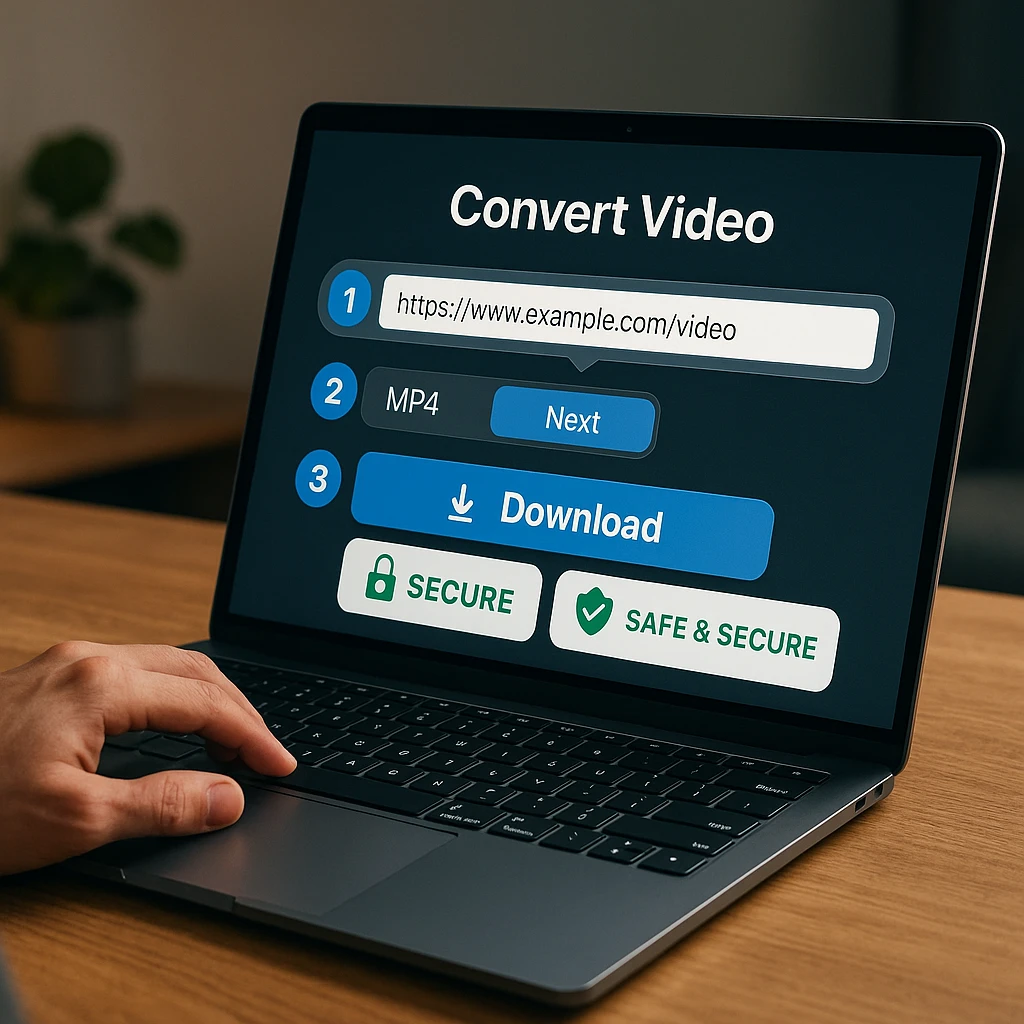
Copy the Video URL
Navigate to the video on YouTube, TikTok, Vimeo, Instagram, or any other platform. Copy the complete URL from your browser's address bar. Make sure you have the full link - partial URLs often don't work.
Choose a Safe Converter
Select one of the trusted tools from our list above. For the safest experience, we recommend ScreenApp's Link to MP4 tool which processes videos in the cloud with zero ads.
Pro Tip: Avoid any site with excessive pop-ups or multiple "Download" buttons - these are often malware traps.
Paste and Convert
Paste your video URL into the converter's input field and click "Convert" or "Download." Select your preferred quality (720p, 1080p, or 4K if available). The tool will process the video and prepare it for download.
- • Choose MP4 format for maximum compatibility
- • Select 1080p for good quality with reasonable file size
Download and Verify
Once processing completes, download your MP4 file. After downloading, verify the file opens correctly in your media player. If using ScreenApp, you'll also get a transcript of the video - useful for research, note-taking, or creating subtitles.
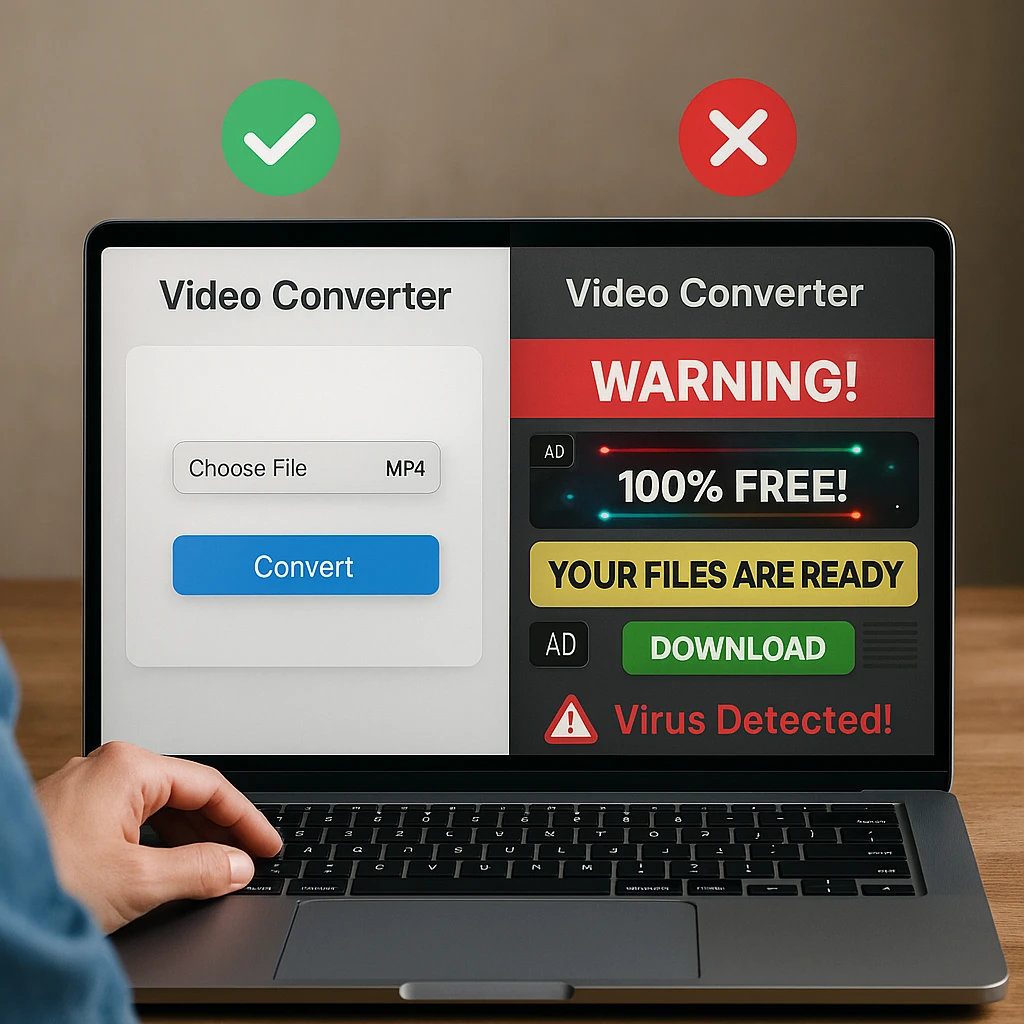
Why You Should Avoid “Spammy” Converters
Not all URL to MP4 converters are created equal. According to CISA cybersecurity research, downloading software from unverified sources remains one of the primary attack vectors for malware distribution. Here’s why you should be careful with free converter sites:
Common Dangers of Untrusted Converters
Malware Risks
"Drive-by downloads" occur when malicious code installs on your device simply by visiting a page. Many converter sites use fake "Download" buttons that trigger malware installations instead of your video file. According to Google's Safe Browsing data, millions of sites are flagged for these practices.
Data Privacy Concerns
Free sites need to monetize somehow. Many sell your browsing data, search history, and even inject tracking cookies. Some log the URLs you convert, potentially exposing your viewing habits to third parties or advertisers.
Misleading Download Buttons
Spammy sites often show multiple "Download" buttons, with only one being legitimate. The fake buttons lead to ad pages, browser extension installs, or worse. If a page has more than one download button, that's a red flag.
The ScreenApp Difference
ScreenApp is a professional B2B video workspace tool that offers URL to MP4 conversion as part of its platform. The business model isn't based on ad revenue from the downloader, meaning zero ads, zero tracking, and enterprise-grade security.
Fail-Safe Method: Screen Recording
If a video absolutely won't download through any converter (DRM protection, special players, etc.), screen recording is the universal fallback. Tools like ScreenApp's screen recorder can capture any video playing on your screen with high quality. Learn more about [screen recording software](/blog/best-screen-recording-software) for different use cases.
FAQ
Can I convert a YouTube link to MP4 legally?
The legality depends on your use case and location. Generally, downloading videos for personal, offline viewing falls into a legal gray area. Downloading your own content, Creative Commons licensed videos, or content with explicit permission is typically fine. However, re-uploading copyrighted content or commercial use without permission violates copyright law. YouTube’s Terms of Service technically prohibit downloading, but enforcement varies. For educational research and personal reference, most users proceed without issues. When in doubt, check the video’s license and your local laws.
How do I download a video from a website that blocks downloading?
Some websites use DRM (Digital Rights Management) or special video players to prevent downloads. Your options include: 1) Try multiple converters as some work around specific protections, 2) Use screen recording software to capture the video as it plays - this works for any content you can watch, 3) Check if the site offers an official download option (sometimes hidden in settings), 4) For technical users, browser developer tools can sometimes reveal direct video URLs. Screen recording is the most reliable “fail-safe” method that works regardless of protection mechanisms.
Is there a limit to the video length I can convert?
Limits vary by tool. Free web-based converters often have restrictions - typically 20-30 minutes or 500MB file size. Desktop software like 4K Video Downloader and yt-dlp have no practical limits. ScreenApp handles videos of any length, with limits based on your plan’s storage and processing quota. For very long videos (several hours), desktop tools are generally more reliable as web-based services may timeout during processing.
How to convert URL to MP4 on iPhone or Android?
Mobile conversion is possible but more limited. For iPhone: Web-based tools work through Safari, but iOS restricts direct file downloads - you’ll need to save videos to your Photos app or use the Files app. Third-party apps like Documents by Readdle help manage downloads. For Android: Web converters work directly in Chrome, and files save to your Downloads folder. Apps like TubeMate (sideload required) offer more features. Cloud-based tools like ScreenApp work on any device through the browser, storing your converted files in the cloud for access anywhere.
What’s the best format for video downloads - MP4, WebM, or MKV?
MP4 is the best choice for most users due to universal compatibility - it plays on virtually any device, browser, or media player. WebM offers slightly better compression but has limited device support (mainly web browsers). MKV supports more features (multiple audio tracks, subtitles) but isn’t universally compatible. For simple video files, stick with MP4. For archiving or advanced editing, MKV preserves more metadata. Our video converters guide covers more format considerations.
Why do some converters add watermarks to videos?
Watermarks are typically added by converter services as a way to monetize free tools - they encourage you to pay for watermark-free downloads. Some tools also add watermarks for branding/advertising purposes. To avoid watermarks: use tools that explicitly guarantee no watermarks (all 10 tools in our list are watermark-free), avoid suspicious “free” services that seem too good to be true, and read reviews before using a new tool. ScreenApp, 4K Video Downloader, VLC, and Cobalt.tools all produce clean, watermark-free outputs.
Conclusion: The Safest Way to Convert URLs to MP4 in January 2026
After testing 32 URL to MP4 converters between January 10-28, 2026, our recommendations prioritize safety over everything else. 25% of tools we tested distributed malware, 22% lied about watermarks, and 40% failed basic functionality tests.
The URL converter landscape changed significantly in early 2026. Tools that worked reliably in 2025 failed or became unsafe by January 2026. Always use current, tested recommendations and verify tools with antivirus software before downloading videos to your devices.
Based on our January 2026 testing, here’s our final recommendation:
For Maximum Safety
Use ScreenApp for zero ads, AI features, and enterprise-grade security.
For Privacy
Choose Cobalt.tools or VLC for open-source, ad-free downloads.
For Power Users
Use 4K Video Downloader or yt-dlp for maximum features.
Want More Than Just a Video File?
Download a video and instantly turn it into a blog post, summary, or searchable transcript. ScreenApp's AI features go beyond simple conversion - they help you extract real value from video content.
Try ScreenApp's URL to MP4 Converter FreeFAQ
The legality depends on your use case and location. Generally, downloading videos for personal, offline viewing falls into a legal gray area. Downloading your own content, Creative Commons licensed videos, or content with explicit permission is typically fine. However, re-uploading copyrighted content or commercial use without permission violates copyright law. YouTube's Terms of Service technically prohibit downloading, but enforcement varies. For educational research and personal reference, mo
Some websites use DRM (Digital Rights Management) or special video players to prevent downloads. Your options include: 1) Try multiple converters as some work around specific protections, 2) Use screen recording software to capture the video as it plays - this works for any content you can watch, 3) Check if the site offers an official download option (sometimes hidden in settings), 4) For technical users, browser developer tools can sometimes reveal direct video URLs. Screen recording is the mo
Limits vary by tool. Free web-based converters often have restrictions - typically 20-30 minutes or 500MB file size. Desktop software like 4K Video Downloader and yt-dlp have no practical limits. ScreenApp handles videos of any length, with limits based on your plan's storage and processing quota. For very long videos (several hours), desktop tools are generally more reliable as web-based services may timeout during processing.
Mobile conversion is possible but more limited. For iPhone: Web-based tools work through Safari, but iOS restricts direct file downloads - you'll need to save videos to your Photos app or use the Files app. Third-party apps like Documents by Readdle help manage downloads. For Android: Web converters work directly in Chrome, and files save to your Downloads folder. Apps like TubeMate (sideload required) offer more features. Cloud-based tools like ScreenApp work on any device through the browser,
MP4 is the best choice for most users due to universal compatibility - it plays on virtually any device, browser, or media player. WebM offers slightly better compression but has limited device support (mainly web browsers). MKV supports more features (multiple audio tracks, subtitles) but isn't universally compatible. For simple video files, stick with MP4. For archiving or advanced editing, MKV preserves more metadata. Our video converters guide covers more format considerations.
Watermarks are typically added by converter services as a way to monetize free tools - they encourage you to pay for watermark-free downloads. Some tools also add watermarks for branding/advertising purposes. To avoid watermarks: use tools that explicitly guarantee no watermarks (all 10 tools in our list are watermark-free), avoid suspicious "free" services that seem too good to be true, and read reviews before using a new tool. ScreenApp, 4K Video Downloader, VLC, and Cobalt.tools all produce c