13 Best Free AI Video Generators Without Watermark (2026)

You want a professional-looking video, but you don’t want to pay for expensive software or deal with ugly watermarks. In early 2026, AI video generators let you turn ideas into polished videos in minutes — all online and free.
Here’s the catch: most “free” tools add a watermark or limit your downloads. We tested 18 AI video generators and spent 40+ hours creating test videos across YouTube intros, product demos, and social media ads. Only 13 tools delivered truly watermark-free exports on their free tiers without hidden restrictions.
Quick Recommendations
- Best for text-to-video: Lumen5 -- paste a blog post and get a finished video. Free plan gives 5 videos/month at 720p. Paid starts at $19/mo.
- Best overall (ease of use): FlexClip -- free HD exports, thousands of templates, no watermark. Paid 4K at $9.99/mo.
- Best for short social clips: Kapwing -- quick editing, meme tools, free watermark-free exports. Pro at $16/mo.
- Best for script-to-video: Jogg.ai -- turns scripts into videos with AI video avatar presenters. Free with no watermark, Pro at $15/mo.
How We Tested
We tested 18 AI video generators between January 10-25, 2026, creating identical test projects across three scenarios: a YouTube intro (15 seconds), a product demo (60 seconds), and a social media ad (30 seconds). Each tool was graded on:
- Ease of Use — Setup time and learning curve
- AI Quality — Visual coherence and text-to-video accuracy
- Customization — Editing flexibility and template variety
- Export Quality — Resolution options and actual watermark-free verification
Out of 18 tools tested, only 13 provided genuinely watermark-free exports on free tiers. The other 5 either added branding overlays or required paid upgrades despite marketing as “free.”
According to Wyzowl’s 2026 Video Marketing Statistics report, 91% of businesses now use video as a marketing tool, which explains why so many AI generators have launched in the past year.
The “Free” Reality in 2026
- Truly Free: Export usable HD/1080p video with zero watermarks (e.g., FlexClip, CapCut, Kapwing, Dreamlux)
- Free to Create Only: Make videos free, but pay $29-79/month to remove watermarks (e.g., Lumen5 $29/month, InVideo, Synthesia)
Full Comparison Table
| Tool | Best For | Free Plan | Watermark-Free | Paid Price |
|---|---|---|---|---|
| Lumen5 | Text-to-Video | 5 videos/mo, 720p | Yes | $19/mo |
| Kapwing | Social Clips | Basic editing | Yes | $16/mo |
| Designs.ai | Marketing | Limited features | Yes | $29/mo |
| FlexClip | Overall | HD exports, templates | Yes | $9.99/mo |
| Freepik AI Video Generator | Branded Videos | Basic generation | Limited | From $9.99/mo |
| Clipchamp | Windows Users | Basic editing | Yes | $11.99/mo |
| Canva Video | All-in-One | Templates, stock video | Yes | $12.99/mo |
| Animoto | Slideshows | Basic creation | Yes | $16/mo |
| Wave.video | Live Streaming | Basic features | Yes | $20/mo |
| Veed.io | Subtitles | Basic captioning | Yes | $18/mo |
| InVideo | AI Avatars | Limited, watermark | Limited | $30/mo |
| Jogg.ai | Script-to-Video | HD, no watermark | Yes | $15/mo |
| imagine Art | AI Art + Video | Basic generation | Yes | Varies |
1. Lumen5
Best for converting blog posts and articles into video content
Lumen5 turns text content into videos. Paste your blog post or article, and the AI creates a video with visuals, music, and captions. Good for content marketers, bloggers, and businesses that want to repurpose written content for social media.
Pros:
- Excellent text-to-video conversion
- No watermarks on exports
- Multiple social media formats
- Automatic caption generation
Cons:
- Limited customization options
- Best for text-based content only
- Some premium features need a paid plan
Pricing: Free: 5 videos/month, 720p exports. Creator: $19/month for unlimited videos, 1080p exports.
2. Kapwing
Best for quick social media video editing and meme creation
Kapwing is built for creators who need to quickly edit videos for social media. The interface makes it easy to trim, add text, create memes, and collaborate with team members. The free plan includes watermark-free exports and works well for TikTok, Instagram, and YouTube content.
Pros:
- Fast, intuitive editing
- No watermarks on exports
- Great for social media formats
- Team collaboration built in
- Meme and text overlay tools
Cons:
- Limited advanced features
- Best for short-form content
- Some premium features require payment
Pricing: Free: Basic editing, no watermarks. Pro: $16/month for advanced features and longer videos.
3. Designs.ai
Best for marketing videos with AI voiceovers
Designs.ai has a full suite of AI tools for marketing videos. The standout feature is AI voiceover generation in multiple languages, which works well for businesses targeting international markets. The templates are built specifically for marketing campaigns.
Pros:
- High-quality AI voiceovers
- Multiple language support
- Marketing-focused templates
- Brand consistency tools
Cons:
- Higher pricing than competitors
- Complex interface
- Limited free plan
Pricing: Free: Limited features and exports. Basic: $29/month for full AI suite access.
4. FlexClip
Best overall for content creators and small businesses
FlexClip is the most versatile free option we tested. Its AI features help you create videos from simple text prompts, and the template library covers nearly every use case. The free plan includes HD video exports with no watermarks — good for YouTube, social media, and business presentations.
If you’re looking for more editing control after generating your video, check out our AI video editor for frame-by-frame adjustments.
Pros:
- Free HD video exports
- No watermarks on any downloads
- Huge template library
- AI voiceover generation
- Easy drag-and-drop editing
Cons:
- 4K exports require paid plan
- Some premium templates are paid
- Can feel overwhelming for simple videos
Pricing: Free: HD exports, thousands of templates. Plus: $9.99/month for 4K exports and premium templates.
5. Freepik AI Video Generator
Best for branded videos with AI assets
Freepik AI Video Generator turns text prompts or static visuals into short, professional-grade videos. Whether you’re creating tutorials, promotional content, or social posts, the tool has prebuilt templates, voiceover sync, and access to Freepik’s full design library.
Pros:
- Fully integrated with Freepik’s AI asset library
- Templates for social media, education, and product marketing
- AI voiceovers with scene-level control
- Commercial licensing included with Premium
Cons:
- Watermarks on free plan exports
- No 4K resolution support (yet)
- Limited animation customization beyond templates
Pricing: Free: Basic video generation, watermark included. Premium: From $9.99/month for high-res output, no watermark, voiceover and full asset access.
6. Clipchamp
Best for Windows users with Microsoft integration
Clipchamp is Microsoft’s official video editor, with built-in Windows and Microsoft 365 integration. It works well for Windows users who want a native editing experience with cloud storage and collaboration. The free plan includes watermark-free exports.
Pros:
- Native Microsoft integration
- Windows-native experience
- No watermarks on exports
- Cloud storage included
Cons:
- Limited to Windows users
- Basic AI features compared to competitors
- Fewer templates than others
Pricing: Free: Basic editing, watermark-free exports. Premium: $11.99/month for advanced features and 4K exports.
7. Canva Video
Best for users already in the Canva ecosystem
Canva Video extends the design platform into video creation. If you already use Canva, the interface is familiar. It has stock video, templates, and integrates with your existing design assets. The free plan includes watermark-free exports.
For adding captions to your Canva videos, try our add subtitles to video tool.
Pros:
- Integrates with Canva design tools
- Extensive template library
- No watermarks on exports
- Stock video included
- Familiar interface for Canva users
Cons:
- Limited advanced video editing features
- Best for simple videos
- Some premium assets require Pro plan
Pricing: Free: Basic video creation, no watermarks. Pro: $12.99/month for premium templates and advanced features.
8. Animoto
Best for slideshow videos and photo montages
Animoto turns photos into videos with music, text, and transitions using a drag-and-drop interface. Good for personal projects, real estate agents, and businesses that need to show products or events.
Pros:
- Excellent slideshow creation
- Extensive music library
- Easy drag-and-drop interface
- Professional transitions
Cons:
- Limited to slideshow-style videos
- Basic editing features
- Not suitable for complex video projects
Pricing: Free: Basic slideshow creation. Personal: $16/month for HD exports and longer videos.
9. Wave.video
Best for live streaming combined with editing
Wave.video combines video creation with live streaming, which makes it different from most AI generators. It has advanced editing features, a stock media library, and built-in analytics. Good for creators who want to both create and stream from one platform.
Pros:
- Live streaming integration
- Advanced editing features
- Extensive stock media
- Built-in analytics
Cons:
- Higher learning curve
- More expensive than competitors
- Can feel overwhelming for beginners
Pricing: Free: Basic features, limited exports. Creator: $20/month for advanced features and live streaming.
10. Veed.io
Best for subtitles and accessibility
Veed.io is built around automatic captioning, subtitle generation, and translation. It’s a strong choice for creators who want to reach global audiences and make videos accessible to viewers with hearing impairments.
You can also use our video-to-text tool to extract full transcripts from your existing videos.
Pros:
- Excellent auto-captioning
- Multi-language translation
- Accessibility-focused features
- No watermarks on exports
Cons:
- Limited general video editing features
- Best for subtitle-focused work
- Some advanced features are paid
Pricing: Free: Basic captioning, limited exports. Pro: $18/month for advanced features and unlimited exports.
11. InVideo
Best for AI avatars and virtual presenters
InVideo is another compelling AI video generator tool with avatar technology that lets you create videos with virtual presenters. Good for businesses that want a human touch in their videos without hiring actors. The platform has realistic AI avatars in multiple languages and styles.
Pros:
- Realistic AI avatars
- Multiple languages supported
- Professional templates
- Voice generation
- No actor costs
Cons:
- Limited free plan
- Higher pricing ($30/mo)
- Avatar quality varies
Pricing: Free: Limited features, watermarked exports. Business: $30/month for AI avatars and no watermarks.
12. Jogg.ai
Best for script-to-video with AI avatars
Jogg.ai focuses on speed and simplicity. You can transform scripts, prompts, or bullet points into fully edited videos in a few clicks. The AI automatically selects visuals, animations, and transitions that match your script’s tone. It also has an AI video avatar feature for adding virtual presenters. Good for marketers, coaches, and creators who publish content regularly.
Pros:
- Converts written content into videos automatically
- No watermarks on free exports
- Multiple aspect ratios for social platforms
- Brand kit for consistent visuals
Cons:
- Limited advanced editing controls
- Video length capped on free plan
- Smaller template library than some competitors
Pricing: Free: Unlimited script-to-video creation, HD exports without watermark. Pro: $15/month for longer videos, premium templates, and advanced customization.
13. imagine Art
Best for AI art-to-video creation
For more advanced capabilities including video-to-video editing and AI-powered content creation, imagine Art AI Video Generator has sophisticated repurposing features that go beyond standard template-based tools.
Why Use Free AI Video Tools
These tools save time and money compared to traditional video editing:
- Speed: Make videos in minutes, not hours. No editing experience needed.
- Quality: AI applies editing best practices automatically.
- Cost: Export watermark-free videos at no cost with the right tool.
- Formats: Instantly create videos sized for YouTube, Instagram, TikTok, and more.
If you’re repurposing longer content into shorter clips, our short-form video editor can help cut full-length recordings into social-ready snippets. And for training or educational content, check out our training video creator.

How AI Video Generators Work
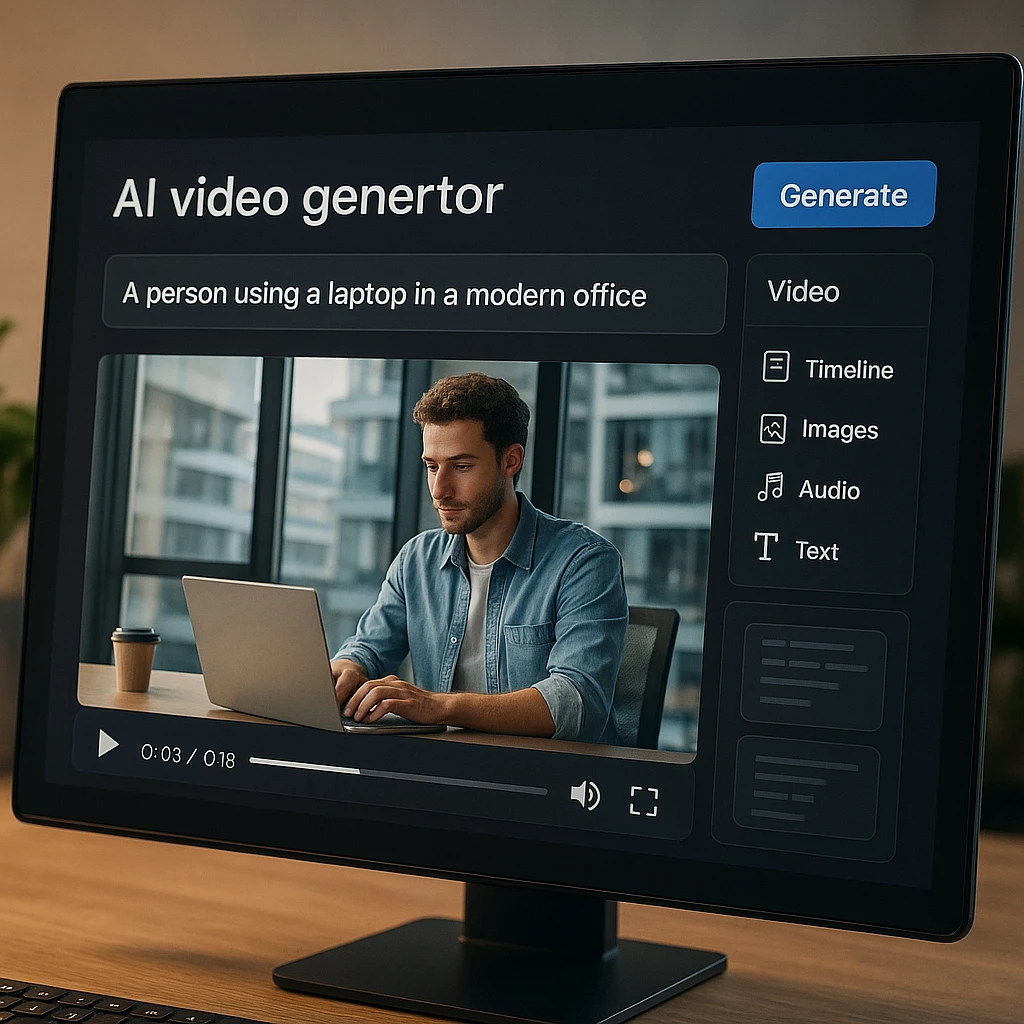
AI video generators use machine learning to turn your script, text, or idea into a finished video. Tools like AI video generators from PromeAI, AI video creator platforms like Fliki, and others have made it possible for anyone to produce professional content. You can also transform text articles into video summaries or use tools to video mockup generator for product demos and presentations. Most tools let you:
- Enter a script or prompt
- Choose a style or template
- Create storyboard layouts before production
- Preview and edit the result
- Download your video in HD
According to Grand View Research, the AI in media and entertainment market is expected to grow at over 26% CAGR through 2030, driven largely by video generation tools.
Who Needs This?
- YouTubers and content creators who want to publish more often
- Small businesses and marketers on tight budgets, including those working with a web3 marketing agency for emerging platforms
- Educators and online course creators
- Social media managers handling multiple accounts — begin with a small project to familiarize yourself with the tool, like a short post using a social media post generator or a blog post summary
- Brands looking to hire UGC creators and pair AI-generated content with authentic user videos
- Freelancers and agencies with client video work
If you need a video fast, these tools are for you. For adding music to your videos, check out our guide to best AI music generators. And for recording audio content, see our guide to recording Discord audio.
FAQ
Can I use these AI video generators for commercial projects?
Yes, most free plans allow commercial use. Always check each tool’s terms of service before publishing, as some require attribution on their free tier.
Do any free AI video generators offer 1080p or 4K exports?
FlexClip and Kapwing both offer free 1080p exports. 4K usually requires a paid plan — expect to pay $10-20/month for 4K output.
Will my videos have a watermark?
All tools listed here offer watermark-free exports on their free plan, unless noted as “Limited” in the comparison table. Freepik and InVideo add watermarks on free exports.
Can I add my own branding and music?
Yes, most tools let you upload your own logo, colors, and music even on the free plan. Jogg.ai and FlexClip both have dedicated brand kit features.
What’s the catch with “free” video generators?
Common limits: shorter video length (30-60 seconds), lower resolution (720p instead of 1080p), fewer templates, and limited AI features. Some cap the number of exports per month. Always check free plan details before you start a project.
Which free AI video generator is best for YouTube?
FlexClip is the strongest choice for YouTube. It exports in HD with no watermark, has YouTube-specific templates, and supports landscape (16:9) format natively. Lumen5 is also good if you want to turn blog posts into YouTube videos.
Final Verdict
You don’t need to pay for good video content in 2026. For text-to-video conversion, Lumen5 is the top pick. For quick social clips, try Kapwing. For the best overall free experience with no watermarks, FlexClip is the winner. And if you want script-to-video with AI presenters, Jogg.ai is worth trying. For a broader directory of options, browse AI Video Generators on FindMyAITool.
Start with the free plans and upgrade only when you hit their limits. Most creators find the free tiers more than enough for their first few months of video content.
FAQ
Yes, most free plans allow commercial use. Always check each tool's terms of service before publishing, as some require attribution on their free tier.
FlexClip and Kapwing both offer free 1080p exports. 4K usually requires a paid plan -- expect to pay $10-20/month for 4K output.
All tools listed here offer watermark-free exports on their free plan, unless noted as "Limited" in the comparison table. Freepik and InVideo add watermarks on free exports.
Yes, most tools let you upload your own logo, colors, and music even on the free plan. Jogg.ai and FlexClip both have dedicated brand kit features.
Common limits: shorter video length (30-60 seconds), lower resolution (720p instead of 1080p), fewer templates, and limited AI features. Some cap the number of exports per month. Always check free plan details before you start a project.
FlexClip is the strongest choice for YouTube. It exports in HD with no watermark, has YouTube-specific templates, and supports landscape (16:9) format natively. Lumen5 is also good if you want to turn blog posts into YouTube videos.