While ChatGPT remains a household name, the AI landscape in 2026 has fragmented into specialized tools that often outperform OpenAI’s generalist model for specific tasks. Whether you need deep academic research with citations, privacy-focused chatting without a login, or advanced image capabilities, there is now a free alternative designed for your workflow.
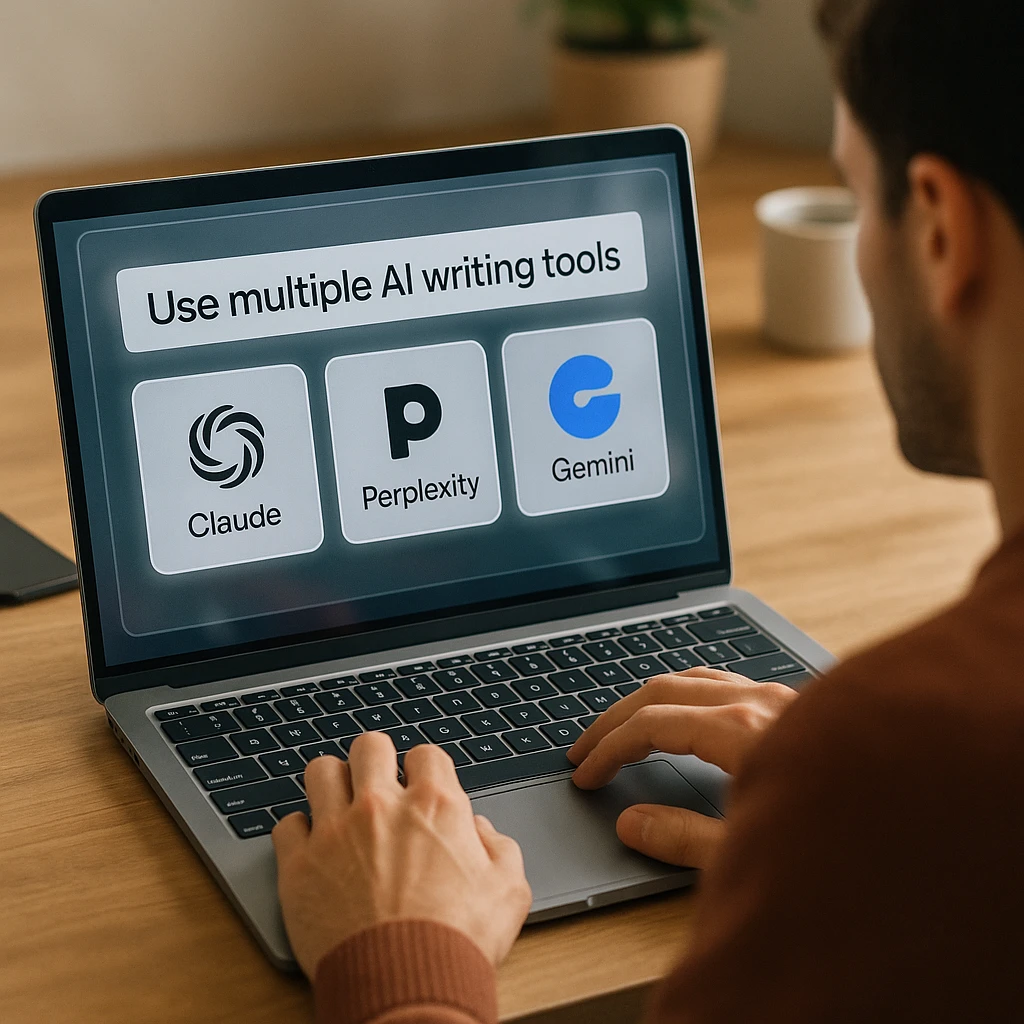
According to Statista’s 2026 AI usage report, over 63% of knowledge workers now use multiple AI assistants rather than relying on a single platform, with specialization being the primary driver for tool selection.
For context on how AI tools can process and analyze complex content, see our guide to AI video analysis which demonstrates how specialized AI excels at specific tasks compared to general-purpose chatbots.
What Makes a Good ChatGPT Alternative?
Before diving into specific tools, understand what differentiates these alternatives:
- Specialization: Tools designed for research, coding, or creative writing outperform generalists in their domains
- Privacy Protection: Anonymous access without data collection or training on your inputs
- Source Citations: Verifiable answers with footnotes to original sources
- Access Friction: Ability to use without account creation or email verification
- Multimodal Capabilities: Native support for image upload, generation, and analysis
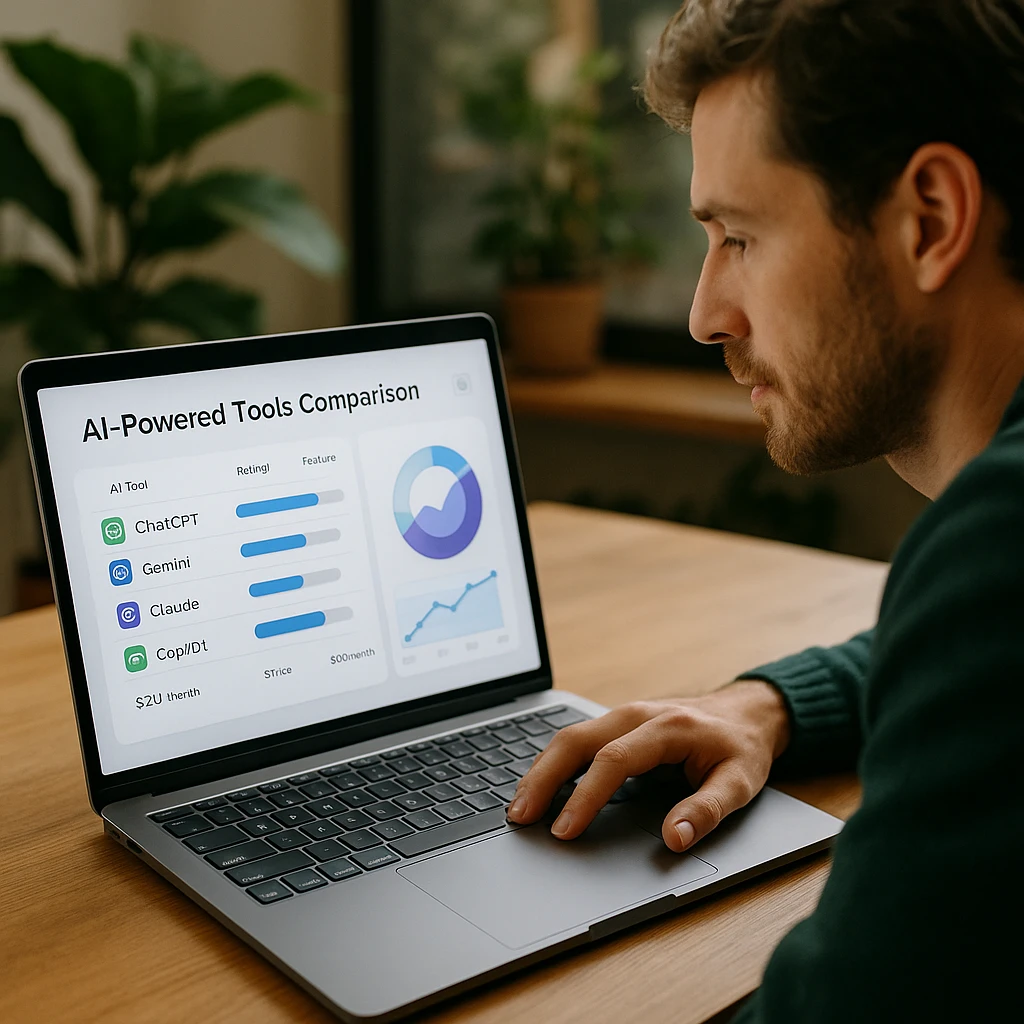
Best Free ChatGPT Alternatives Comparison 2026
| Rank | Tool | Best For | Sign-Up Required | Image Features |
|---|---|---|---|---|
| 1 | Claude 3.5 Sonnet | Natural Writing | Yes | Upload Only |
| 2 | Perplexity AI | Research - Citations | No (Basic) | Upload Only |
| 3 | Google Gemini | Google Integration | Yes | Generate & Upload |
| 4 | Microsoft Copilot | Free GPT-4 Access | Yes (Best Features) | Generate - Upload |
| 5 | Elicit | Academic Research | Yes | None |
| 6 | DuckDuckGo AI | Privacy-First | No | None |
| 7 | HuggingChat | Open Source | No | None |
| 8 | Mistral (Le Chat) | Speed - Efficiency | Guest Access | None |
| 9 | Leonardo.ai | Image Generation | Yes | Advanced Generation |
| 10 | Canva Magic Studio | Design Integration | Yes | Generate - Edit |
Top 10 Free ChatGPT Alternatives for Writing & Research
Claude 3.5 Sonnet
Best for Human-Like Writing and Coding
Claude 3.5 Sonnet from Anthropic has established itself as the top choice for writers who find ChatGPT's prose too robotic. According to Anthropic's benchmarks, Claude outperforms GPT-4 on graduate-level reasoning tasks while maintaining a more conversational tone. The massive 200,000 token context window allows you to upload entire books or long PDFs for deep analysis, making it invaluable for research-heavy writing projects.
Key Features
- ✓ Artifacts view shows code and documents side-by-side with conversations
- ✓ Upload multiple PDFs and ask cross-document questions
- ✓ Superior code generation with better documentation
- ✓ More nuanced understanding of creative writing prompts
Pros
- • Natural, human-like writing style
- • Enormous context window for comprehensive analysis
- • Excellent at following complex instructions
- • Strong ethical guardrails without being overly restrictive
Cons
- • Requires account creation
- • No image generation (upload and analysis only)
- • Free tier has usage limits
Best For
Fiction writers, content creators, and developers who need natural-sounding prose and the ability to analyze large documents. Perfect for anyone frustrated with ChatGPT's generic tone.
Perplexity AI
Best for Research with Citations
Perplexity AI functions as a conversational search engine rather than a traditional chatbot, making it superior for research tasks. Unlike ChatGPT, which relies on training data with a knowledge cutoff, Perplexity scours the live web to provide current information. Crucially, it footnotes every claim with clickable citations, allowing you to verify sources instantly essential for academic or professional work. For comprehensive content analysis beyond simple answers, explore our [AI note-taking features](/features/ai-note-taker) which provide structured insights from video and audio sources.
Key Features
- ✓ Pro Search breaks complex questions into multi-step reasoning chains
- ✓ Every answer includes numbered citations to original sources
- ✓ Can search specific domains (academic papers, news, etc.)
- ✓ Related questions feature helps explore topics deeply
Pros
- • Real-time web access for current information
- • Verifiable sources with every claim
- • No sign-up required for basic search
- • Clean interface without distracting ads
Cons
- • Pro Search limited to 5 queries per day on free plan
- • Not ideal for creative writing tasks
- • Can be slower than offline chatbots
Best For
Students, journalists, and researchers who need verifiable information with proper citations. Essential for anyone writing academic papers or fact-checking content.
Google Gemini
Best for Google Ecosystem Integration
Google Gemini has evolved into a powerhouse for users already in the Google ecosystem. It can pull real-time information from Google Flights, Hotels, and Maps. For writers, its integration with Google Docs allows exporting tables and drafts directly, saving significant formatting time. The ability to summarize and answer questions about YouTube videos makes it particularly useful for video-based research. For deeper video analysis capabilities, check out our [video summarization tools](/blog/10-best-video-summarizers) which offer comprehensive content extraction.
Key Features
- ✓ Deep integration with YouTube to summarize videos and extract timestamps
- ✓ Export responses directly to Google Docs or Gmail
- ✓ Access real-time data from Google services
- ✓ Image generation and advanced image understanding
Pros
- • Seamless Google Workspace integration
- • Excellent YouTube video analysis
- • Fast response times
- • Free tier is generous
Cons
- • Requires Google account
- • Privacy concerns with Google data collection
- • Less natural writing style than Claude
Best For
Users heavily invested in Google Workspace who want seamless integration between AI assistance and their existing workflow. Ideal for video content researchers and travel planners.
Microsoft Copilot
Best for Free GPT-4 Access
Microsoft Copilot provides free access to OpenAI's GPT-4o model, giving users access to high-reasoning capabilities and DALL-E 3 image generation that usually sit behind a paywall. According to Microsoft's data, Copilot users report 29% faster task completion for document creation and research tasks.
Key Features
- ✓ Notebook mode allows longer prompts and iterative editing
- ✓ Free access to GPT-4o without subscription
- ✓ DALL-E 3 image generation included
- ✓ Real-time web browsing with Bing integration
Pros
- • Premium model access for free
- • Image generation capabilities
- • Notebook mode great for long-form content
- • Microsoft 365 integration for subscribers
Cons
- • Best features require Microsoft account
- • Interface can feel cluttered
- • Bing search results sometimes less relevant than Google
Best For
Users who want GPT-4 level performance without paying for ChatGPT Plus. Excellent for anyone who needs both text generation and image creation in one tool.
Elicit
Best for Scientific and Academic Research
Elicit is a specialized research assistant that automates literature reviews. Unlike general chatbots that can hallucinate academic information, Elicit finds relevant papers from databases like PubMed and arXiv, then extracts key takeaways into comparison tables. For researchers needing to process and analyze academic content systematically, this approach is far more reliable than asking a general-purpose AI.
Key Features
- ✓ Analyze uploaded PDFs to find common themes or contradictions
- ✓ Automatic extraction of methodology, results, and conclusions
- ✓ Side-by-side paper comparison in table format
- ✓ Find papers based on research questions, not just keywords
Pros
- • Reduces literature review time dramatically
- • Doesn't hallucinate uses real papers
- • Structured output perfect for research workflows
- • Free tier covers most student needs
Cons
- • Specialized tool not for general conversation
- • Limited to academic and scientific content
- • Requires account for full functionality
Best For
Graduate students, researchers, and academics conducting systematic literature reviews. Invaluable for dissertation research and grant writing.
Top AI Tools Like ChatGPT (Free and No Sign-Up Required)
Privacy and access friction matter. These tools let you start chatting without creating an account or sharing personal information.
DuckDuckGo AI Chat
Best for Privacy-First AI Chat
DuckDuckGo AI Chat brings the company's famous privacy-first approach to artificial intelligence. You can toggle between models like GPT-4o mini, Claude 3 Haiku, and Llama 3 without creating an account. According to DuckDuckGo's announcement, your chats are anonymous and the data is not used to train AI model a rare guarantee in 2026.
Key Features
- ✓ Switch between GPT, Claude, and Llama models instantly
- ✓ Zero data collection or tracking
- ✓ No account required start chatting immediately
- ✓ Daily usage limits but generous for casual use
Pros
- • True privacy with no data tracking
- • Instant access without sign-up
- • Multiple model options
- • Clean, fast interface
Cons
- • No conversation history saved
- • Daily usage limits on free tier
- • No image generation or upload
Best For
Privacy-conscious users who want quick AI assistance without leaving a data trail. Perfect for sensitive queries you don't want associated with your account.
HuggingChat
Best for Open Source Model Access
HuggingChat is an open-source interface by Hugging Face that lets you chat with the latest open-source models like Llama 3, Mistral, and others without a login. It's excellent for developers and tech-savvy users who want to test raw model performance without the restrictions imposed by commercial platforms.
Key Features
- ✓ Access to uncensored or specialized open-source models
- ✓ No account required for basic use
- ✓ Completely free and open source
- ✓ Web search capabilities with some models
Pros
- • Completely free and open source
- • Access to cutting-edge open models
- • No content restrictions
- • Transparent about model capabilities
Cons
- • Variable quality depending on model
- • Less polished interface than commercial tools
- • Can be slower during peak usage
Best For
Developers, AI researchers, and users who want to experiment with open-source models without restrictions. Ideal for comparing different model architectures.
Mistral AI (Le Chat)
Best for Speed and Efficiency
Mistral AI, based in Europe, offers "Le Chat," a highly efficient conversational assistant. The company's models are known for being incredibly fast and resource-efficient while rivaling GPT-4 in logic puzzles and coding tasks. For users needing quick AI assistance with technical problems, explore our [AI-powered transcription tools](/blog/ai-listen-and-take-notes) which demonstrate specialized AI efficiency.
Key Features
- ✓ Extremely fast response times
- ✓ Strong coding and logic capabilities
- ✓ Guest access often available
- ✓ European data privacy standards
Pros
- • Lightning-fast responses
- • Excellent for technical tasks
- • European privacy regulations
- • Resource-efficient
Cons
- • Less known than major alternatives
- • Limited integrations
- • Guest access may be limited
Best For
Developers and technical users who prioritize speed and efficiency. Great for quick coding assistance and logic problems.
Best ChatGPT Alternatives with Image Upload & Generation Features
Multimodal AI capabilities the ability to see and create images often sit behind paywalls. These tools offer advanced image features for free.
Leonardo.ai
Best for High-Quality Artistic Image Generation
Leonardo.ai offers a creative suite focused on high-quality artistic image generation with a generous daily free tier that far outstrips competitors. It allows granular control over image generation including style references and character consistency that simple chatbots can't match.
Key Features
- ✓ Real-time Canvas lets you sketch and watch AI transform it instantly
- ✓ Character consistency across multiple generations
- ✓ Style reference matching for brand consistency
- ✓ Motion generation for animated content
Pros
- • Exceptional image quality
- • Generous free daily credits
- • Granular creative control
- • Real-time generation features
Cons
- • Not a text chatbot focused on images
- • Learning curve for advanced features
- • Requires account creation
Best For
Content creators, graphic designers, and marketers who need high-quality images with consistent branding. Ideal for anyone creating visual content at scale.
Canva Magic Studio
Best for Turning Text into Usable Designs
Canva Magic Studio has integrated powerful AI writing and image generation tools directly into its design editor. You can use Magic Write to generate blog posts and then immediately use Magic Media to generate accompanying visuals in the same document streamlining the entire content creation workflow.
Key Features
- ✓ Magic Edit lets you brush over image parts and type text to replace elements
- ✓ Generate text and images in the same workflow
- ✓ Thousands of templates pre-optimized for different platforms
- ✓ Brand kit integration for consistent designs
Pros
- • Seamless text and image generation workflow
- • Professional templates save time
- • Magic Edit is incredibly intuitive
- • Free tier includes AI features
Cons
- • Best AI features require Pro subscription
- • Not ideal for pure conversational AI
- • Limited free AI generation credits
Best For
Social media managers, marketers, and content creators who need to produce finished designs quickly. Perfect for anyone who needs both writing and visual assets in one place.
Choosing the Right ChatGPT Alternative for Your Needs
Different use cases call for different tools. Here’s a decision framework:
Use Case Recommendations
For Creative Writing
→ Claude 3.5 Sonnet for natural prose and nuanced understanding
Alternative: Microsoft Copilot (free GPT-4 access)
For Academic Research
→ Perplexity AI for citations + Elicit for literature reviews
Alternative: Google Gemini (YouTube research integration)
For Privacy-Focused Use
→ DuckDuckGo AI Chat or HuggingChat for zero tracking
Alternative: Mistral Le Chat (European privacy standards)
For Visual Content Creation
→ Leonardo.ai for images + Canva Magic Studio for designs
Alternative: Microsoft Copilot (DALL-E 3 access)
For Coding and Technical Tasks
→ Claude 3.5 Sonnet or Mistral Le Chat for speed
Alternative: HuggingChat (specialized models)
For specialized content analysis tasks like processing meeting recordings or educational videos, consider tools designed for automated meeting notes which complement general-purpose AI assistants.
Beyond Chat - Analyzing Real Content
While chatbots excel at generating text, sometimes you need to analyze existing content rather than creating new material. For processing recorded lectures, meetings, or research videos, specialized tools like audio note-taking apps offer structured analysis that goes beyond what general chatbots provide.
Frequently Asked Questions
The best free ChatGPT alternative depends on your use case. For natural writing, Claude 3.5 Sonnet offers superior prose quality. For research with citations, Perplexity AI is unmatched. For privacy-focused anonymous use, DuckDuckGo AI Chat provides zero-tracking access to multiple models. Microsoft Copilot gives free access to GPT-4o if you want OpenAI's premium model without paying.
Yes, several alternatives work without account creation: DuckDuckGo AI Chat offers complete anonymity with no sign-up, HuggingChat provides open-source model access without login, Perplexity AI basic search requires no account, and Mistral Le Chat often allows guest access for quick queries. These are ideal if you want to avoid data collection or quickly test a tool.
Perplexity AI is specifically designed for research with live web search and footnoted citations for every claim. For systematic literature reviews, Elicit automates finding and comparing academic papers from databases like PubMed. Unlike general chatbots that can hallucinate sources, these tools link directly to verifiable sources, making them essential for academic work.
Yes, Microsoft Copilot includes free DALL-E 3 image generation (the same model used in ChatGPT Plus). Google Gemini also offers image generation on its free tier. For dedicated image creation with more control, Leonardo.ai provides generous daily free credits with advanced features. Canva Magic Studio combines text and image AI in a design-focused workflow.
For creative and professional writing, many users find Claude 3.5 Sonnet superior to ChatGPT due to its more natural, less robotic prose. Claude's 200,000 token context window also allows analyzing entire books or long documents. However, ChatGPT may still excel at certain tasks like following very specific formats or generating code in certain languages. The best approach is testing both for your specific use case.
DuckDuckGo AI Chat offers the strongest privacy guarantees no data collection, no account required, and conversations are not used for model training. HuggingChat is also highly private as it's open source and requires no login. Mistral Le Chat benefits from European GDPR regulations. Avoid tools requiring extensive personal information or those with unclear data policies.
Yes, Microsoft Copilot provides free access to GPT-4o (OpenAI's latest model) without requiring ChatGPT Plus. You'll need a Microsoft account for the best features, but basic access is available. This is the most direct way to use OpenAI's premium model without paying $20/month for ChatGPT Plus.
Claude 3.5 Sonnet excels at code generation with better documentation and the Artifacts view for side-by-side code review. Mistral Le Chat offers extremely fast responses for quick coding questions. GitHub Copilot (not covered here) is purpose-built for coding but requires payment after a trial. For open-source model experimentation, HuggingChat lets you test different coding-focused models.
Yes, most free tiers have some limits. Perplexity AI limits Pro Search to 5 queries daily. Claude has usage caps that reset regularly. DuckDuckGo AI Chat has daily limits. Microsoft Copilot may throttle heavy users. However, these limits are generally sufficient for personal use. Power users doing extensive work may need to rotate between tools or upgrade to paid plans.
Google Gemini has native YouTube integration that can summarize videos and answer questions about content. However, for more comprehensive video analysis including transcription and structured notes, specialized tools like ScreenApp's video analysis features offer deeper functionality than general chatbots. These tools extract timestamps, create searchable transcripts, and identify key themes more reliably than asking a chatbot to watch a video.
The Future of AI Assistants in 2026
The AI landscape has shifted from “one tool for everything” to specialized tools that excel at specific tasks. According to Gartner’s 2026 survey, 60% of knowledge workers now use at least three different AI tools regularly, with specialization being the primary selection criterion.
Rather than replacing ChatGPT, these alternatives complement it by offering capabilities where general-purpose tools fall short:
- Research requiring citations: Perplexity and Elicit eliminate hallucinated sources
- Natural creative writing: Claude’s prose feels more human and nuanced
- Privacy-sensitive queries: DuckDuckGo and HuggingChat protect user data
- Visual content creation: Leonardo and Canva streamline design workflows
- Technical efficiency: Mistral offers speed without sacrificing capability
The most effective approach is building a personal AI toolkit where each tool serves a specific purpose. Start with two or three alternatives that match your primary use cases, then expand as needed.
For workflows involving recorded content analysis, consider pairing chatbots with automated transcription tools that extract structured information from video and audio sources a capability beyond what conversational AI typically offers.
Start Exploring Free ChatGPT Alternatives Today
The barrier to entry for advanced AI has never been lower. Most tools covered here offer generous free tiers without requiring payment information, making it easy to experiment and find what works for your specific needs.
Begin by identifying your primary use case:
- Writing: Try Claude for natural prose
- Research: Test Perplexity for citations or Elicit for academic work
- Privacy: Start with DuckDuckGo AI Chat for anonymous access
- Design: Explore Leonardo or Canva for visual content
- Technical work: Experiment with Mistral or Claude for coding
The fragmentation of the AI landscape represents progress specialized tools now outperform generalists at specific tasks. By strategically choosing the right tool for each job, you can achieve better results than relying solely on ChatGPT, often while paying nothing.