10 Best Audio Analyzer Tools Online (2026 Reviewed)

Audio analysis used to mean staring at complex waveforms and spectrum graphs. It was strictly for sound engineers with expensive studio software.
In 2026, “Audio Analysis” means something different. It’s about understanding the data inside the sound. Whether you’re a podcaster checking for background noise, or a manager trying to find key topics in a meeting recording, you need the right tool.
According to Statista’s audio market research, the global audio content market continues to grow rapidly, making audio analysis tools more critical than ever for content creators, researchers, and professionals.
We’ve categorized the best online tools into two groups: Content Analyzers (for meaning) and Technical Analyzers (for sound quality).
What Type of “Analysis” Do You Need?
1. Content Analysis (Speech-to-Text)
You want to know what was said. You need transcription, sentiment analysis, speaker identification, and keyword extraction. This is ScreenApp's domain.
2. Signal Analysis (Spectrum/Waveform)
You want to check the quality of the file. You need to see frequency response, bitrate, background noise levels, and clipping.
3. Music Analysis (BPM/Key)
You want to analyze musical structure. You need BPM detection, key identification, and tempo analysis for DJ sets or music production.
4. Quality Control (File Specs)
You want to verify file specifications. You need to check bitrate, sample rate, file format, and loudness levels for platform compliance.
Quick Comparison: 10 Best Audio Analyzer Tools
| Rank | Tool Name | Category | Best For | Free? | Score |
|---|---|---|---|---|---|
| 1 | ScreenApp | Content | Deep Content Analysis | Yes | 9.5/10 |
| 2 | Speak AI | Content | Market Research | Limited | 8.5/10 |
| 3 | Otter.ai | Content | Meeting Notes | Limited | 8.0/10 |
| 4 | Maztr | Technical | File Quality & Specs | Yes | 8.0/10 |
| 5 | Academo | Technical | Visualizing Frequencies | Yes | 7.5/10 |
| 6 | VerifAI Audio | Technical | Detecting Fake Quality | Limited | 7.5/10 |
| 7 | AudioCheck.net | Technical | Hardware Testing | Yes | 7.0/10 |
| 8 | Tunebat | Music | Key & BPM Detection | Yes | 8.0/10 |
| 9 | TwistedWave | Music | Waveform Editing | Limited | 7.5/10 |
| 10 | TapTempo.io | Music | Manual BPM | Yes | 6.5/10 |
Best for Content Analyzers (Transcription - Sentiment)
Best for: Meetings, Interviews, Research, and "Knowledge Work" - when you need to understand what was said, not just how it sounds.
ScreenApp - AI-Powered Audio Analyzer
Audio analysis with AI transcription and sentiment
Don't just look at the sound waves - read the conversation. ScreenApp goes beyond simple transcription to analyze the meaning inside your audio files. It's the difference between having a transcript and having insights.
Key Features
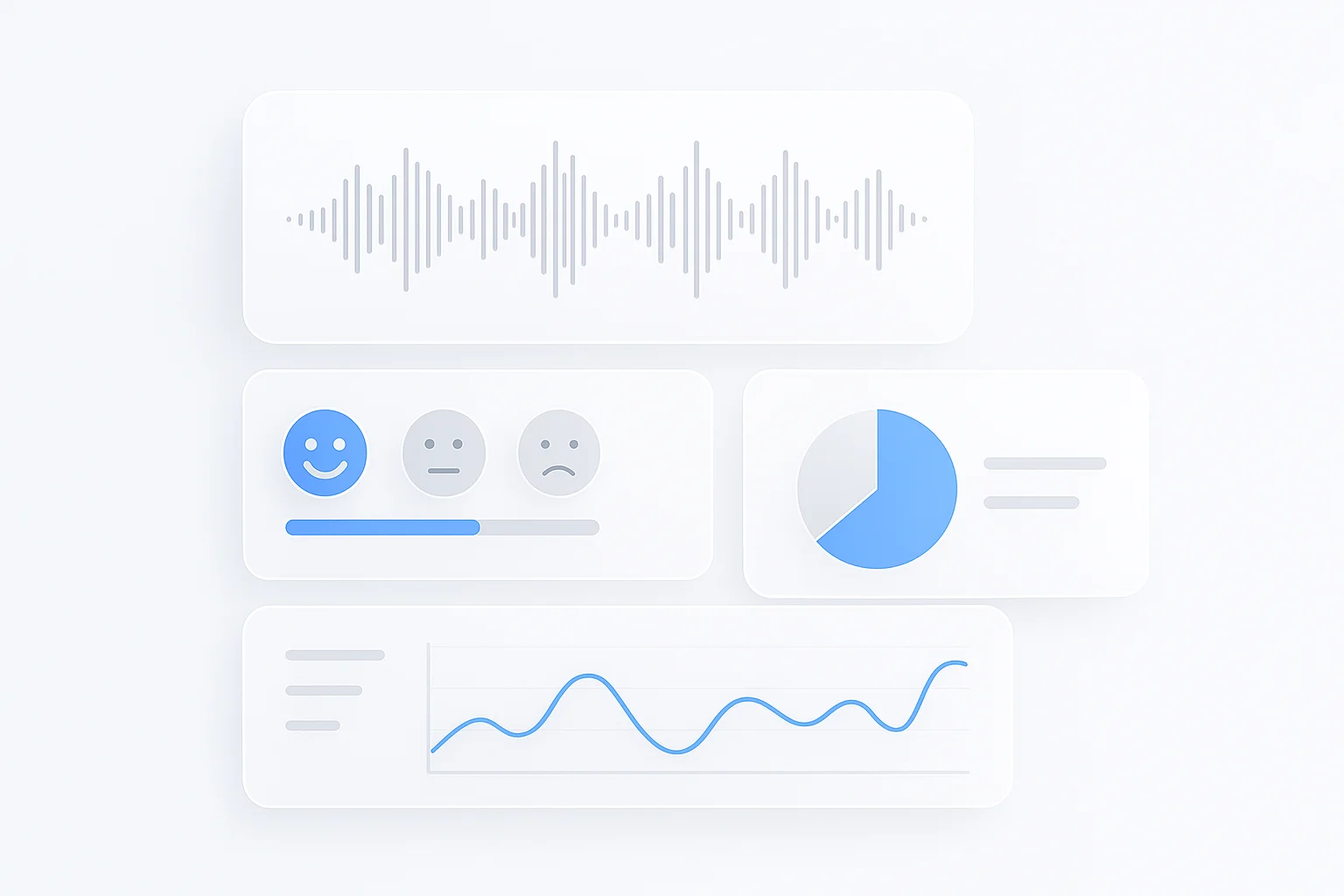
- - Beyond Transcription: Detects Topics, identifies Speakers, and analyzes Sentiment (positive/negative tone)
- - Interactive AI: Upload an MP3 and ask questions like "What were the action items mentioned?"
- - Visual Context: If your audio comes from a video, it analyzes on-screen text too via Video OCR
- - Search Inside Audio: Find specific moments by searching for keywords in the transcript
Pros
- AI-powered content understanding, not just transcription
- Ask questions directly to your audio files
- Speaker identification and sentiment tracking
- Generous free tier for testing
Cons
- Requires account creation
- Advanced features need paid plan
Best For
Knowledge workers, UX researchers, podcast producers, and anyone who needs to extract meaning from meeting recordings, customer interviews, or research sessions. Perfect for turning hours of audio into actionable insights.
Speak AI - Market Research Analyzer
Visualize data from audio conversations
A powerful tool for visualizing data from audio. Speak AI transforms conversations into visual reports that reveal patterns you'd miss from reading transcripts alone.
Key Features
- - Word Clouds: Visualize the most frequently mentioned topics at a glance
- - Sentiment Trends: See how a speaker's emotion changed over the course of a call
- - Bulk Analysis: Process multiple recordings at once for comparative research
Pros
- Excellent data visualization tools
- Great for analyzing customer interviews
- Powerful for identifying themes
Cons
- Steeper learning curve
- More expensive than alternatives
- Overkill for simple transcription needs
Best For
Marketing teams analyzing customer interviews, user researchers conducting qualitative studies, and anyone who needs to find patterns across multiple audio recordings.
Otter.ai - Meeting Notes
Real-time transcription for professional meetings
The standard for automated meeting notes. Otter.ai has become synonymous with real-time transcription, especially in professional settings where every word matters.
Key Features
- - Real-Time Transcription: See words appear as they're spoken
- - Summary Keywords: Auto-highlights important terms and topics
- - Calendar Integration: Automatically joins and transcribes Zoom calls
Pros
- Industry standard for meeting notes
- Excellent real-time accuracy
- Great Zoom/Teams integration
Cons
- Limited free tier (300 minutes/month)
- Lacks deep audio quality metrics
- No spectrum or technical analysis
Best For
Professionals who need accurate meeting transcripts. For deeper analysis of the content within those meetings, consider pairing Otter with a tool like ScreenApp for AI-powered insights. For more options, see our guide on AI interview assistants.
Best for Technical Analyzers (Quality - Spectrum)
Best for: Podcasters, Engineers, and Audiophiles - when you need to verify file quality, visualize frequencies, or test your hardware.
Maztr - File Quality and Specs
Technical tool for checking audio file health
A purely technical tool for checking file health. If you need to know the exact specs of an audio file before uploading it to a platform, Maztr gives you the numbers.
Key Features
- - Bitrate Display: Instantly shows kbps (128, 256, 320) to verify quality
- - Sample Rate: Confirms 44.1kHz, 48kHz, or higher sample rates
- - LUFS Loudness: Essential for meeting Spotify/Apple Podcasts standards (-14 LUFS)
Pros
- Instant technical specs
- Free to use
- No account required
Cons
- Technical analysis only - no content
- Limited visualization
- Basic interface
Best For
Podcasters who need to ensure their file meets platform loudness standards, and anyone who needs to verify audio file specifications before distribution.
Academo Spectrum Analyzer
Visualize frequencies in real-time
A simple, web-based tool to see your audio. The spectrum analyzer visualizes frequencies in real-time, helping you identify problem areas in your recordings.
Key Features
- - Spectrogram Heat Map: Visual representation of frequencies over time
- - Find Problem Frequencies: Easily spot "hissing" or excessive bass
- - Browser-Based: No installation needed
Pros
- Completely free
- Works in any browser
- Real-time visualization
Cons
- Basic features only
- No file export
- Limited to visual analysis
Best For
Finding "hissing" frequencies, checking if bass is too loud, or visualizing the frequency balance of a recording. Great for quick diagnostics.
VerifAI Audio
Detect fake lossless audio files
An AI tool designed for DJs and audiophiles who need to verify audio authenticity. It detects "Fake Lossless" files - audio that claims to be high-quality WAV but was actually upscaled from a low-quality MP3.
Key Features
- - Fake Lossless Detection: Identifies upscaled MP3s disguised as WAV/FLAC
- - True Quality Verification: Confirms genuine high-resolution audio
- - AI-Powered: Uses machine learning for accurate detection
Pros
- Unique functionality - no alternatives
- Highly accurate detection
- Saves DJs from bad purchases
Cons
- Niche use case
- Limited free analysis
- Only checks quality, not content
Best For
DJs purchasing tracks from unknown sources, audiophiles verifying their collection, and anyone who wants to ensure they're not paying lossless prices for MP3 quality.
AudioCheck.net
Test tones and blind tests for hardware
A suite of test tones and blind tests. AudioCheck.net helps you evaluate your headphones, speakers, and even your own hearing capabilities with scientific precision.
Key Features
- - Frequency Sweeps: Test the full range of your headphones/speakers
- - Blind Tests: Can you hear the difference between 128kbps and 320kbps?
- - Hearing Tests: Check your personal frequency range
Pros
- Comprehensive test suite
- Free to use
- Educational blind tests
Cons
- Dated interface
- No file analysis
- Manual testing only
Best For
Audiophiles testing new equipment, anyone curious about their hearing range, and people who want to prove (or disprove) whether they can actually hear the difference between audio qualities.
Best for Music and Editing Analyzers
Best for: Musicians, DJs, and Editors - when you need to know the BPM, musical key, or need to edit waveforms directly in your browser.
Tunebat
Key & BPM detection for music
Drag and drop a song to analyze its musical structure. Tunebat instantly finds the tempo and key, making it essential for DJs preparing sets and musicians creating mashups.
Key Features
- - BPM Detection: Instantly calculates beats per minute
- - Key Detection: Identifies musical key (e.g., C Minor, G Major)
- - Song Database: Search existing tracks for their BPM/Key
Pros
- Fast and accurate detection
- Huge song database
- Free to use
Cons
- Music-focused only
- No content analysis
- Ads on free tier
Best For
DJs preparing mashups or mixes, musicians looking for songs in compatible keys, and producers who need quick tempo analysis. If you're creating content with music, check out our guide on finding copyright-free music.
TwistedWave
Online waveform editor in your browser
Like "Audacity" but in your browser. TwistedWave allows you to see and edit audio waveforms without installing any software - perfect for quick edits on the go.
Key Features
- - Visual Waveform: See your audio graphically
- - Cut & Trim: Remove silence or unwanted sections
- - Normalize: Balance volume levels across the track
Pros
- No installation required
- Professional editing tools
- Multiple format support
Cons
- Limited free tier (5 minutes)
- Analysis-only, no AI insights
- Requires some audio knowledge
Best For
Quick audio edits without software installation. Podcasters trimming clips, voiceover artists cutting takes, and anyone who needs basic waveform editing in a pinch.
TapTempo
Manual BPM detection tool
A simple utility that does one thing well. Tap your spacebar to the beat of any song and get an accurate BPM reading. Sometimes the simplest tool is the best.
Key Features
- - Tap Detection: Calculates BPM from your keyboard taps
- - Instant Results: See BPM in real-time as you tap
- - Works Anywhere: Any audio source, no upload needed
Pros
- No file upload required
- Works with any audio source
- Completely free
Cons
- Manual process - requires rhythm
- No key detection
- Limited to BPM only
Best For
Quick BPM checks when you can't upload a file, live music analysis, or verifying automated BPM detection from other tools.
Feature Deep Dive: How to Analyze “Sentiment” in Audio
Understanding Audio Sentiment Analysis
Audio sentiment analysis goes beyond words. AI listens to tone, pace, pitch variations, and word choice to determine if a speaker is Happy, Angry, Neutral, or Confused. This transforms raw recordings into emotional data.
How It Works
- - Tone Analysis: Detects stress, excitement, or frustration in voice
- - Word Choice: Identifies positive/negative language patterns
- - Pace Detection: Fast speech may indicate excitement or anxiety
Real-World Workflow
- 1. Upload your customer support call to ScreenApp
- 2. AI transcribes and tags segments with emotion indicators
- 3. Filter to see only "Negative" moments to troubleshoot churn
Pro Tip: Combine sentiment analysis with AI transcription to create searchable, emotion-tagged audio archives. This is invaluable for customer experience teams and UX researchers.
FAQ
How do I check the bitrate of an audio file online?
Use a technical tool like Maztr. Upload the file, and look for the “kbps” number (e.g., 128kbps, 320kbps). Higher bitrate generally means better quality. For podcasts, 128kbps is standard. For music, aim for 256kbps or higher.
Can AI analyze background noise in audio?
Yes. Tools like ScreenApp can separate voice from noise for transcription, while spectrum tools like Academo let you visually see the noise frequencies. For removing background noise entirely, consider dedicated tools like AI-powered editing software.
What is the best free audio analyzer?
It depends on your goal. For checking file specs (bitrate, sample rate), Maztr is best. For understanding content (words, topics, sentiment), ScreenApp offers a generous free tier. For visualizing frequencies, Academo is completely free with no limits.
Can I extract keywords from an audio file automatically?
Yes. AI-powered content analyzers like ScreenApp and Speak AI can automatically extract keywords, topics, and even action items from audio files. Upload your recording, and the AI identifies the most important terms without manual tagging.
How do I find the BPM of a song online?
The easiest method is Tunebat - drag and drop your audio file, and it instantly calculates the BPM and musical key. For manual verification, use TapTempo and tap along to the beat. Most DJ software also includes built-in BPM detection.
Can audio analyzers identify different speakers in a recording?
Yes, this feature is called “speaker diarization.” Tools like ScreenApp can automatically identify and label different speakers in a recording, making it easy to follow multi-person conversations. This is especially useful for meeting recordings, interviews, and panel discussions where you need to track who said what.
What file formats do audio analyzers support?
Most modern audio analyzers support common formats like MP3, WAV, M4A, FLAC, and OGG. Content analyzers like ScreenApp also support video files (MP4, MOV) and can extract audio for analysis. Technical analyzers typically work with uncompressed formats (WAV, FLAC) for accurate quality measurements. Always check the tool’s documentation for specific format support.
How accurate is AI transcription for audio analysis?
Modern AI transcription accuracy ranges from 85-95% for clear audio with minimal background noise. Accuracy drops with heavy accents, multiple speakers talking simultaneously, or poor audio quality. Tools like ScreenApp use advanced models that handle various accents and can separate speakers, improving overall accuracy. For best results, use high-quality recordings with minimal background noise.
Is there a limit to audio file size for online analyzers?
Yes, most online analyzers have file size limits. Free tiers typically allow 25-100MB files (roughly 10-40 minutes of audio). Paid plans often support larger files up to 500MB or more. For very long recordings, consider using desktop software or cloud-based solutions with higher limits. Some tools also support direct links to cloud storage (Google Drive, Dropbox) to bypass upload size restrictions.
Can I analyze audio from YouTube or other streaming platforms?
Yes, many analyzers support direct URL input from YouTube, Vimeo, and other platforms. Content analyzers like ScreenApp can process video links directly, extracting and analyzing the audio track. This is useful for analyzing podcasts, interviews, or lectures without downloading files. Note that some platforms may have restrictions, and you should always respect copyright when analyzing content.
Conclusion: Listen Smarter, Not Harder
If you need to check if your mic is working or verify audio file specs, use a technical spectrum analyzer. But if you need to understand the value locked inside your recordings - the decisions, emotions, and data - you need an AI Content Analyzer.
The difference between a raw recording and actionable intelligence is the right analysis tool. For podcasters, Maztr keeps your files compliant. For DJs, Tunebat keeps your mixes in key. But for knowledge workers who need to turn hours of meetings into insights, ScreenApp transforms audio from a time sink into a searchable knowledge base.
FAQ
Use a technical tool like Maztr. Upload the file, and look for the "kbps" number (e.g., 128kbps, 320kbps). Higher bitrate generally means better quality. For podcasts, 128kbps is standard. For music, aim for 256kbps or higher.
Yes. Tools like ScreenApp can separate voice from noise for transcription, while spectrum tools like Academo let you visually see the noise frequencies. For removing background noise entirely, consider dedicated tools like AI-powered editing software.
It depends on your goal. For checking file specs (bitrate, sample rate), Maztr is best. For understanding content (words, topics, sentiment), ScreenApp offers a generous free tier. For visualizing frequencies, Academo is completely free with no limits.
Yes. AI-powered content analyzers like ScreenApp and Speak AI can automatically extract keywords, topics, and even action items from audio files. Upload your recording, and the AI identifies the most important terms without manual tagging.
The easiest method is Tunebat - drag and drop your audio file, and it instantly calculates the BPM and musical key. For manual verification, use TapTempo and tap along to the beat. Most DJ software also includes built-in BPM detection.
Yes, this feature is called "speaker diarization." Tools like ScreenApp can automatically identify and label different speakers in a recording, making it easy to follow multi-person conversations. This is especially useful for meeting recordings, interviews, and panel discussions where you need to track who said what.
Most modern audio analyzers support common formats like MP3, WAV, M4A, FLAC, and OGG. Content analyzers like ScreenApp also support video files (MP4, MOV) and can extract audio for analysis. Technical analyzers typically work with uncompressed formats (WAV, FLAC) for accurate quality measurements. Always check the tool's documentation for specific format support.
Modern AI transcription accuracy ranges from 85-95% for clear audio with minimal background noise. Accuracy drops with heavy accents, multiple speakers talking simultaneously, or poor audio quality. Tools like ScreenApp use advanced models that handle various accents and can separate speakers, improving overall accuracy. For best results, use high-quality recordings with minimal background noise.
Yes, most online analyzers have file size limits. Free tiers typically allow 25-100MB files (roughly 10-40 minutes of audio). Paid plans often support larger files up to 500MB or more. For very long recordings, consider using desktop software or cloud-based solutions with higher limits. Some tools also support direct links to cloud storage (Google Drive, Dropbox) to bypass upload size restrictions.
Yes, many analyzers support direct URL input from YouTube, Vimeo, and other platforms. Content analyzers like ScreenApp can process video links directly, extracting and analyzing the audio track. This is useful for analyzing podcasts, interviews, or lectures without downloading files. Note that some platforms may have restrictions, and you should always respect copyright when analyzing content.